
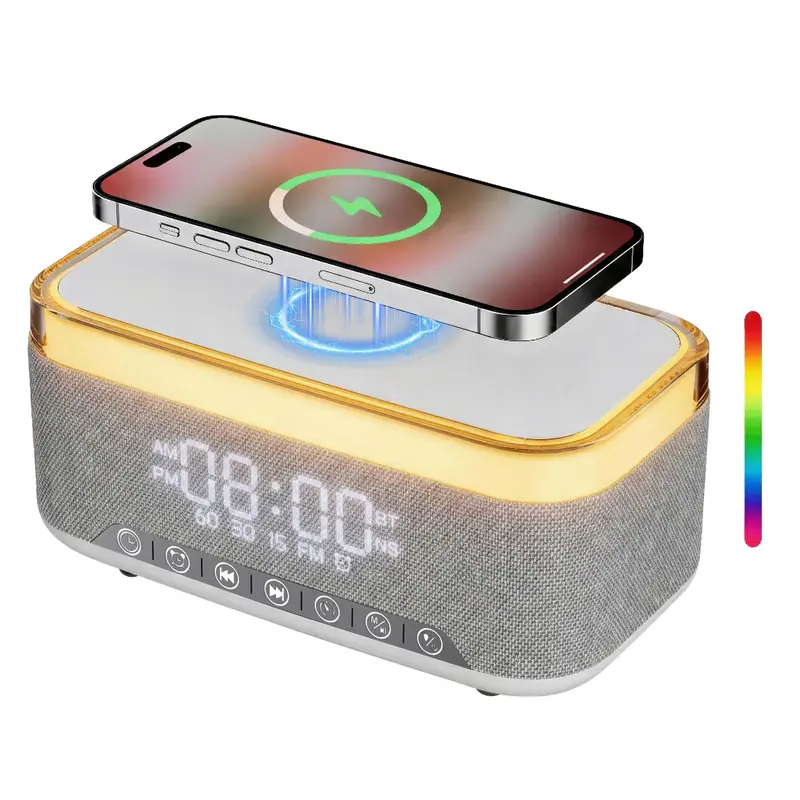
15W Fast Wireless Charging Alarm Clock with Bluetooth Speaker, White Noise Mochine & RGB Night Light
- Sold by Agent Aisles: we handle returns and refunds
- GST included, nothing added later
- 14-day change of mind on unopened items: 10% restocking fee and buyer pays return postage; faulty or damaged items are always covered. Returns policy
- No account needed: check out as a guest
How this order is protected
- Returns and refunds handled by Agent Aisles.Your card is charged at checkout. If something goes wrong, we sort out the return and refund.
- Mandate checked for connected agents.With a mandate you set, limits and allowed aisles are checked before every order.
- GST included.The price you see is the price you pay.
About this product
Product Size: 7.1" Lx 3.94"Hx 3.5" W (18cm x10cm x9cm) Power Source: Corded Electric (Adapter included) Bluetooth: 5.3 Functions: 15W Wireless Charge, Alarm, 12 Colours RGB, FM Radio, White Noise. Package Includes: 1x Speaker Clock, 1x Power Adapter, 1x User Manual. NOTE: The strength of a radio signal is significantly affected by its placement: (1) Position it near a window, preferably one facing the direction of…
Read the full description
Product Size: 7.1" Lx 3.94"Hx 3.5" W (18cm x10cm x9cm) Power Source: Corded Electric (Adapter included) Bluetooth: 5.3 Functions: 15W Wireless Charge, Alarm, 12 Colours RGB, FM Radio, White Noise. Package Includes: 1x Speaker Clock, 1x Power Adapter, 1x User Manual. NOTE: The strength of a radio signal is significantly affected by its placement: (1) Position it near a window, preferably one facing the direction of broadcast towers. Walls severely weaken FM signals. (2)Keep away from obstacles: Place the radio in an open area, away from large metal objects and appliances like computers, televisions, routers, and refrigerators. FM Radio Mode User Guide:(1) Switch to FM Radio Mode. Press and hold the Mode (M) button to switch modes. Switch to FM Radio Mode and you see FM displayed on the screen. (2) Search for Radio Stations. Make sure you are in FM mode. Click the (M) button to switch between automatic and manual search. Automatic Search: The speaker will automatically scan and save all available stations. Manual Search: Press the Next (▶▶) button to go to the next station. Press the Previous (◀◀) button to return to the previous station. (3) Adjust Volume. Long press the Volume + or Volume – buttons to increase or decrease the sound. (4) Exit FM Radio Mode. Long press the (M) button to switch to other modes.
- Brand
- Aisle
- Audio & Video
- SKU
- AA-000541
- Weight
- 318 g
- Dimensions
- 105 mm × 95 mm × 203 mm
- Dispatch
- Ships in 1–2 business days
Customer reviews
No reviews yet. We email every buyer a review link after delivery, and only people who bought this item can write one.
Quote this item over the API
POST /api/v1/quotes
{
  "mandate_id": "<your mandate uuid>",
  "items": [
    {
      "variant_id": "AA-000541",
      "quantity": 1
    }
  ]
}
Needs a mandate and an Idempotency-Key header. See the agent card.